Countertop estimating software: what your shop actually needs.
A reliable estimate connects measurements, pricing, material, fabrication, and installation instead of leaving the office to rebuild every quote by hand.
Countertop estimating software calculates square footage, edge lengths, cutouts, seams, and material waste from a drawn layout — replacing spreadsheets and manual calculations. The best systems connect geometry to pricing so every revision reprices automatically, and they convert approved quotes into production jobs without re-entry. Look for DXF import, multiple price lists, and mobile access for field crews.
Why countertop estimating software matters
Countertop estimates include more than square footage. Edge profiles, sink cutouts, cooktop cutouts, backsplashes, seams, material, delivery, installation, and site conditions all affect the final price. Spreadsheets can calculate some of these pieces, but they often make it difficult to keep the drawing, price, and customer record synchronized.
Countertop estimating software gives the estimator a repeatable workflow. Draw or import the surface, apply the correct price list, review the calculated quantities, and produce a quote that can become the working job record. In a market of thousands of small fabrication shops — most under 30 employees — competing on turnaround and accuracy, the difference between a manual estimate and a connected one is not marginal — it is the difference between guessing and knowing.
Measurements should drive the estimate
The best systems connect geometry to pricing. When the drawing changes, the estimate should reflect the new area, edge length, cutouts, and pieces. This reduces manual transcription and makes revisions easier to explain to customers, builders, and installers.
Look for DXF import when your field team uses digital templates. Also check whether the system supports irregular shapes, multiple surfaces, islands, backsplashes, and notes that matter during fabrication.
Lithiq OS is the stone fabrication platform behind this article. Draw surfaces, track slabs, schedule crews, and quote jobs — all in one place.
Price lists and shop consistency
A shop may need separate pricing for retail customers, builders, remodelers, material tiers, edge work, and installation. Reusable price lists help different estimators quote the same work consistently while still allowing an authorized user to adjust a job when the scope requires it.
Ask whether taxes, discounts, deposits, delivery, and custom line items are supported. A low software price is not useful if the team still has to calculate the complicated parts outside the system.
From quote to production
A quote should not become a dead-end PDF. After approval, the job should carry its customer details, surfaces, material, pricing, documents, schedule, and field requirements into production. That handoff is where many shops lose time.
Lithiq connects countertop estimating and quotes with layouts, slab inventory, scheduling, and job planning. For the full workflow from first measurement to install, see our countertop fabrication workflow guide, and for connecting estimates to invoices, read the QuickBooks integration guide.
Questions to ask during a demo
Use a real job when evaluating a system. Can the estimator draw the shape quickly? Can the shop see the exact material and edge details? Can the customer receive a branded quote? Can the approved estimate become a scheduled job without re-entry? Can the team access the record on a phone?
The best countertop estimating software makes the right information easier to capture once and reuse throughout the job. For a broader evaluation framework, see our 10-point framework for choosing software, and for a head-to-head of estimating tools specifically, see the best countertop estimating software comparison.
How to price edges, cutouts, and seams
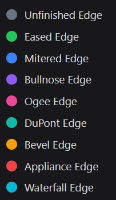
These three line items decide whether a quote is profitable, and they are the easiest to undercount by hand. Edges are billed by finished linear foot, so the estimate must include every exposed side — including the returns and the short cheeks of an island, not just the long runs. Each profile (eased, bevel, ogee, miter) carries a different per-foot rate, and a good countertop takeoff applies the right rate automatically from the drawing.
Cutouts are a fixed fabrication price plus the edge finish around their perimeter. Sinks, cooktops, and faucet holes each add perimeter edge, so a "simple" second prep sink quietly adds both a cutout fee and several feet of polish. Seams are the third trap: each one is slab yield, fabrication time, and on-site join labor. The estimate should show how many slabs the layout consumes and where the seams land, so bookmatching and waste are priced deliberately rather than absorbed.
When edges, cutouts, and seams are tied to the same geometry as the square footage, a revision reprices all of them at once. Pair the estimate with slab inventory to confirm the slabs exist, and with 3D layouts to show the customer exactly where seams and cutouts will sit before they approve. For planning ranges on waste by job type, see our slab waste percentage benchmarks, and for capturing planned versus actual yield per job, read the job costing guide. When you are comparing tools head to head, our countertop estimating software comparison puts quoting, drawing, and shop platforms side by side.
Frequently asked questions
What should countertop estimating software for fabrication shops include?
It should connect measurements to pricing, support edge profiles, sink and cooktop cutouts, backsplashes, seams, material tiers, delivery, and installation. Reusable price lists help different estimators quote the same work consistently.
Why are edges, cutouts, and seams important in estimates?
These three line items decide whether a quote is profitable. Edges are billed by finished linear foot, cutouts add both a fee and perimeter edge polish, and each seam adds slab yield, fabrication time, and on-site join labor.
How does DXF import improve estimating?
DXF import eliminates the transcription errors that come with redrawing field templates by hand. When the drawing changes, the estimate reflects the new area, edge length, cutouts, and pieces automatically.
What should I ask during an estimating software demo?
Use a real job and ask whether the estimator can draw shapes quickly, whether the shop can see exact material and edge details, whether customers receive branded quotes, and whether approved estimates become scheduled jobs without re-entry.
How to price countertops without leaving margin on the bench.
Read articleCommon countertop estimating mistakes that shrink margin.
Read articleSlab waste percentage benchmarks: what's normal in fabrication.
Read articleJob costing for fabricators: track profitability per job.
Read articleBuild better estimates with less re-entry.
Get StartedAdd Lithiq as a preferred source to see our guides more often in Google Search, AI Overviews, and Top Stories.