Keep every job
on schedule.
Stop juggling whiteboards, spreadsheets, and group texts. Lithiq gives you a single source of truth for job scheduling so your office, shop, and field crews always know what's next.
Shared Calendar
View templates, fabrication, and installs in one place with customizable views.
Crew Assignment
Assign jobs to crews and get automatic notifications when schedules change.
Job Status Tracking
Track progress from measure to install with real-time updates.
Route Mapping
Optimize driving routes for templating and install crews.
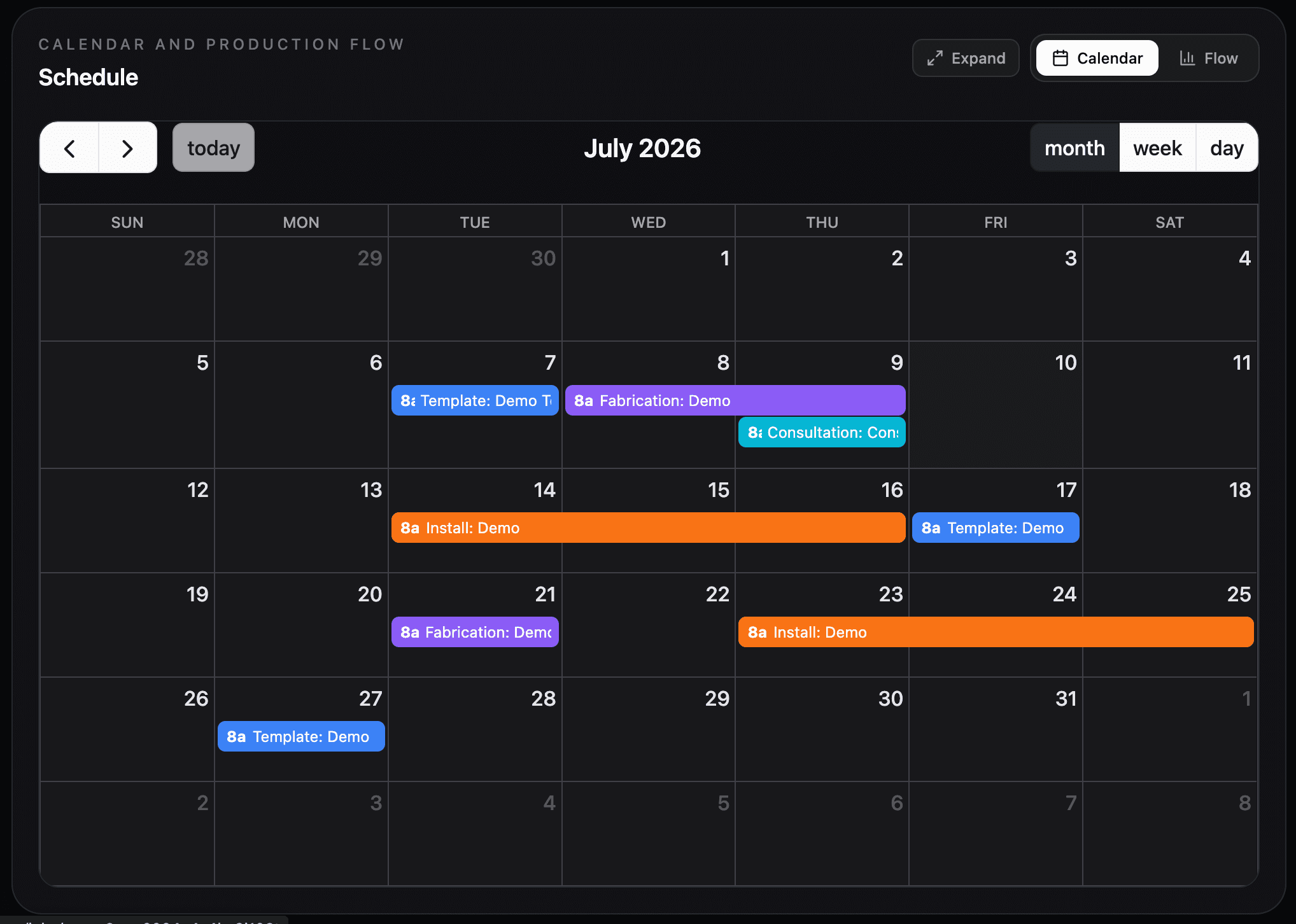
Lithiq OS is stone fabrication scheduling software that coordinates templating, fabrication, and installation from one shared calendar. Crews get automatic notifications when schedules change, view jobs on a map with optimized routes, and update job status from their phone — replacing whiteboards, spreadsheets, and group texts.
Automatic updates for everyone.
Schedule Changes
Crews get notified instantly when jobs are added, moved, or cancelled.
Install Ready
Get notified when fabrication is complete and a job is ready for install.
Client Updates
Optionally notify customers when their job status changes.
Scheduling questions.
Can I schedule templates, fabrication, and installs separately?+
Does it work on mobile for field crews?+
Can customers see job status?+
Is there route mapping?+
Stop the "where is my job?" calls.
Give your whole team visibility into every job, every crew, and every schedule.